The World Smile Games app uses a series of smile challenges (updated every six months), going through the list and bringing up the next one whenever you want a challenge to smile at.

This is the home screen for the World Smile Games App. Click “New Smile Challenge” to bring up the next of the smile challenges. Click “Random Smile” to bring up a reminder of something that you have smiled at in the past, so an item from your Smile History, chosen at random.
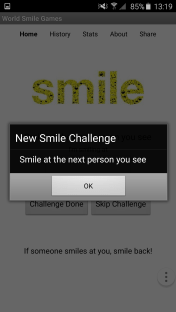

Enter a few words about what you smiled at for each challenge and click “Challenge Done”. Click “Skip Challenge” if you want to miss this one and move to the next one. The words you entered will then be stored in your smile history together with the date (if you do not enter anything, the challenge itself is stored in the history).
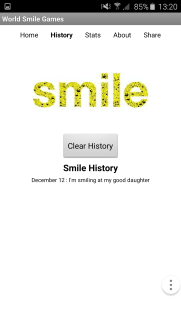

You can also share your last smile by clicking on “Share” in the top right of the screen. You can share the smile via email and social media such as facebook, twitter, whats app, google+ and any other platform supported by your phone.
The app will keep count of the total number of smiles, shared smiles, the percentage of shared smiles, the average number of smiles per day, and the number of smiles done in the last day. The app will also mark when you reach 100, 500 and 1000 total smiles and 100 and 500 shared smiles.
Do the smile challenges as often as you want to and share them as much as you can. And if someone smiles at you, smile back.
 The World Smile Games